Enterprises spend millions fortifying their perimeters with zero-trust architecture, advanced firewalls, and 24/7 endpoint monitoring. But this fortress mentality ignores a massive structural flaw: the remote employee’s living room.
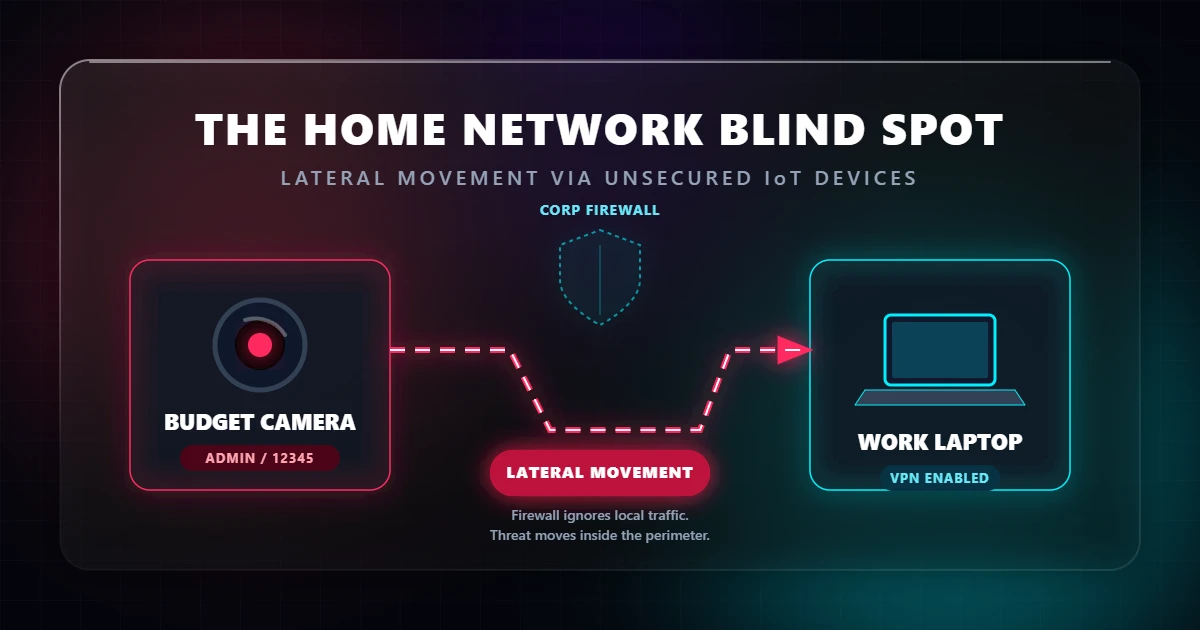
When a worker connects a laptop to their home Wi-Fi, they are sharing a local network with wildly insecure hardware. A $25 knock-off pet camera or a smart plug with a hardcoded password is all it takes to bypass a multi-million-dollar corporate security stack.
The Economics of Insecure Hardware
Budget IoT manufacturers operate on razor-thin margins. Security costs money, which means it gets cut from the production line. This results in two massive liabilities for the end-user:
- Hardcoded and public credentials. Devices often ship with “admin/12345” logins that are impossible to change, or setups that never force the user to update them. Attackers use search engines like Shodan to passively scan the web for these exposed admin panels.
- Orphaned software. A company selling a $30 camera has zero financial incentive to pay developers to patch firmware three years later. When vulnerabilities are discovered—like the infamous backdoor accounts found in white-labeled Hikvision gear—they remain permanently unpatched in the wild.
The Lateral Movement Threat
Hackers aren’t breaking into your webcam because they care about your living room feed. They want the device’s IP address. Once an attacker compromises a smart camera, they are physically “inside” your home network.
From that compromised camera, they can run scripts to probe your corporate laptop for weak SMB shares, open ports, or outdated software. Because both devices are sitting on the same local Wi-Fi, your company’s perimeter firewall never detects the intrusion. The call is coming from inside the house.
Analog Surveillance in a Digital World
Even if an attacker doesn’t pivot to your laptop, a hijacked camera is a goldmine for corporate espionage. High-definition budget cameras can easily capture keystrokes, read post-it notes on a desk, or catch reflections in glasses. Furthermore, they all feature always-on microphones.
End-to-end encryption on your Zoom calls is useless if an attacker is simply listening to the unencrypted audio propagating through the air in your home office. They don’t need to crack the network traffic; they just need to hijack the microphone sitting on your shelf.
Hardening the Home Perimeter
- Burn default credentials immediately. The second a device connects to your router, change the password to a lengthy passphrase. If the device doesn’t allow you to change the default admin login, throw it in the trash.
- Enforce brutal network segmentation. Putting IoT devices on a “Guest Wi-Fi” is only half the battle. You must log into your router and enable Client/AP Isolation. This prevents devices on the guest network from talking to each other or scanning the main network. If you have prosumer gear, silo your IoT devices onto a strict VLAN with firewall rules blocking cross-network traffic.
- Audit your firmware. Treat IoT devices like dairy: they have an expiration date. If your camera manufacturer hasn’t released a security patch in 12 months, the hardware is a liability. Unplug it.
- Rely on physics, not software. Do not trust the “camera off” button in an app. Software switches can be flipped remotely by root-level attackers. If you aren’t using the camera, pull the power cord or slide a physical shutter over the lens.
The Reality Check
The concept of “inside” and “outside” a network no longer exists. If you work from home, your corporate security posture is only as strong as the cheapest, dumbest smart device connected to your router.